

Example of Reveal Card in ASP.NET MVC Card Control
This sample demonstrates rendering the card with reveal layouts. Hidden information of card can be revealed to see while clicking “Know more”.
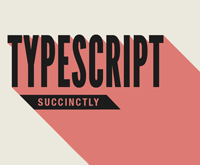
Force.com Succinctly
| Author | Steve Fenton |
| Published on | Jul 7, 2014 |
| Pages | 82 |
TypeScript
Microsoft has done extensive work to make JavaScript easier to use. Microsoft TypeScript extends many familiar features of .NET programming to JavaScript.
Go to Download
@Html.UiCard(new UiCardOptions
            {
                Id = "card_reveal_book", ImageUrl = Url.Content("~/Content/card/Tile_4.png"), ImageTitle = "Force.com Succinctly", RevealText = "Know More",
                Template = @<table class="book-facts"><tr><td><b>Author</b></td><td>Steve Fenton</td></tr><tr><td><b>Published on</b></td><td>Jul 7, 2014</td></tr><tr><td><b>Pages</b></td><td>82</td></tr></table>,
                RevealHtmlContent = new HtmlString("<div><b>TypeScript</b><p>Microsoft has done extensive work to make JavaScript easier to use. Microsoft TypeScript extends many familiar features of .NET programming to JavaScript.</p><a href=\"https://www.syncfusion.com/ebooks/typescript\" target=\"_blank\" rel=\"noopener noreferrer\">Go to Download</a></div>")
            })
<style>
.card-layout { display: flex; flex-wrap: wrap; justify-content: center; gap: 20px; max-width: 900px; margin: 0 auto; padding: 20px 0; }
.card-layout > * { flex: 0 1 380px; min-width: 260px; }
.card-layout .ui-card { width: 100%; box-sizing: border-box; }
.card-layout .ui-card + .ui-card { margin-top: 20px; }
.card-layout p { margin: 0; }
.book-facts { width: 100%; line-height: 2.2em; }
</style>
<div class="control-section card-control-section reveal_card_layout">
    <div class="card-layout">
        <div>
            @Html.UiCard(new UiCardOptions
            {
                Id = "card_reveal_book", ImageUrl = Url.Content("~/Content/card/Tile_4.png"), ImageTitle = "Force.com Succinctly", RevealText = "Know More",
                Template = @<table class="book-facts"><tr><td><b>Author</b></td><td>Steve Fenton</td></tr><tr><td><b>Published on</b></td><td>Jul 7, 2014</td></tr><tr><td><b>Pages</b></td><td>82</td></tr></table>,
                RevealHtmlContent = new HtmlString("<div><b>TypeScript</b><p>Microsoft has done extensive work to make JavaScript easier to use. Microsoft TypeScript extends many familiar features of .NET programming to JavaScript.</p><a href=\"https://www.syncfusion.com/ebooks/typescript\" target=\"_blank\" rel=\"noopener noreferrer\">Go to Download</a></div>")
            })
        </div>
    </div>
</div>
using System;
using System.Collections.Generic;
using System.Linq;
using System.Web.Mvc;
using Lumen.UI.Mvc;

namespace YourApp.Controllers
{
    public class CardController : Controller
    {
        // The page is Views/Card/RevealCard.cshtml; it draws what ViewData holds.
        public ActionResult RevealCard()
        {
            return View();
        }
    }
}
@* Install once: Install-Package Lumen.UI.Mvc   (or: dotnet add package Lumen.UI.Mvc) *@

@* Views/Web.config: <add namespace="Lumen.UI.Mvc" /> *@

@* Views/Shared/_Layout.cshtml *@
<head>
    @Html.UiStyles()
    <link rel="stylesheet" href="~/Content/site.css" />
</head>
<body>
    @RenderBody()
    @Html.UiScripts()
    @RenderSection("scripts", required: false)
</body>
Cards in this sample have a hidden content within the DOM which is available behind the visible element.